 Datum
Parts
Extrude, revolve, sweep and loft; fillet, chamfer, shell, draft and patterns. Equations, configurations and several bodies in one part.
Launch offer: 50% off Datum Pro with code DATUM50 until 14 January 2027
Sketch, constrain and extrude real parts, put them together in assemblies and make the drawings for the workshop. Datum is free to use; Datum Pro is one payment, with no subscription.
Web app in Chrome, Edge, Firefox or Safari · Mac · Windows · Linux through the web app
Design
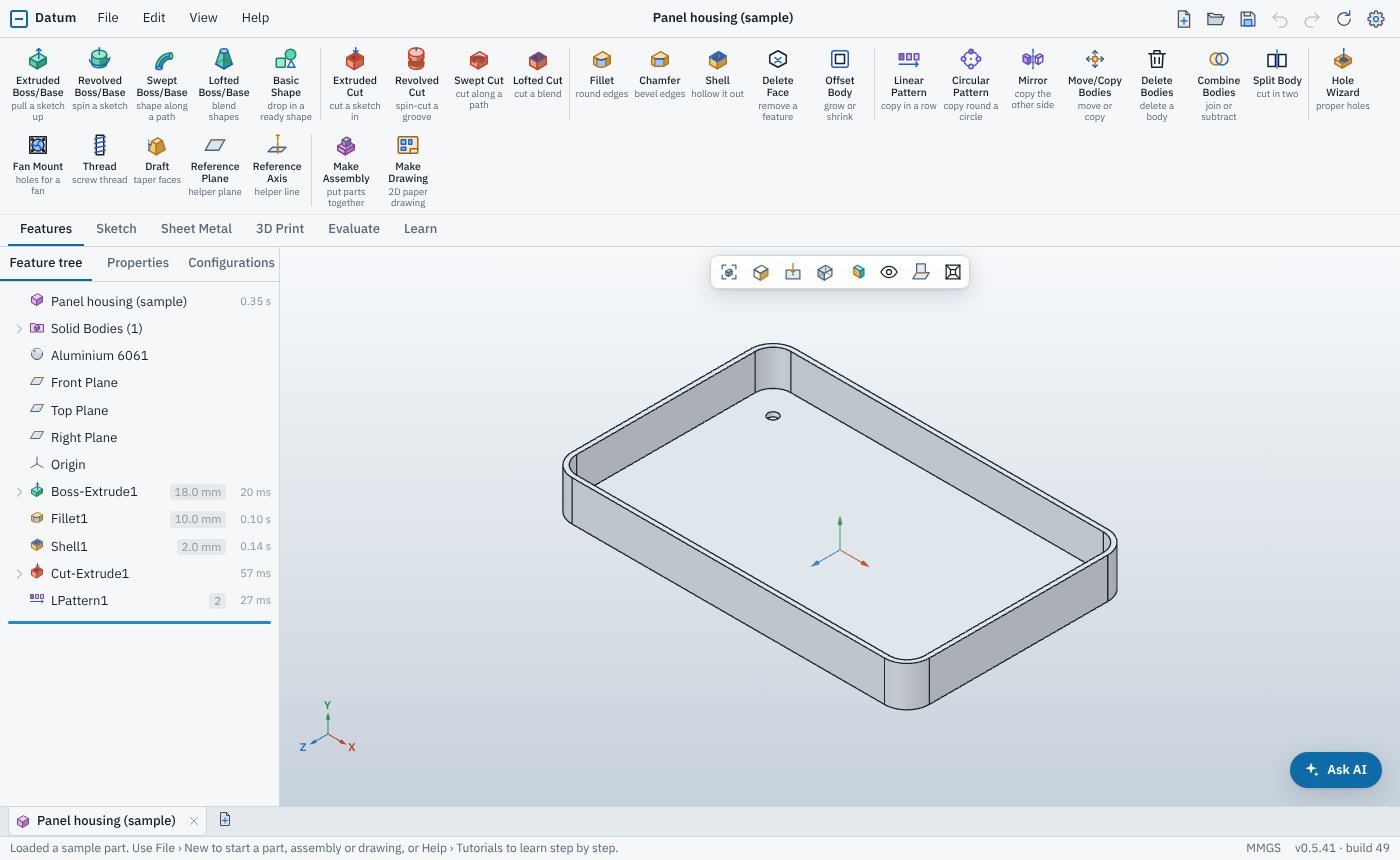
Datum works the way SolidWorks, Fusion and Onshape users already think: a sketch, a feature, a feature tree you can roll back and edit. The geometry comes from OpenCascade, the same kernel that powers FreeCAD.
Extrude, revolve, sweep and loft; fillet, chamfer, shell, draft and patterns. Equations, configurations and several bodies in one part.
Insert parts and place them with mates, including gear, slot and limit mates. Exploded views, patterns and interference checks.
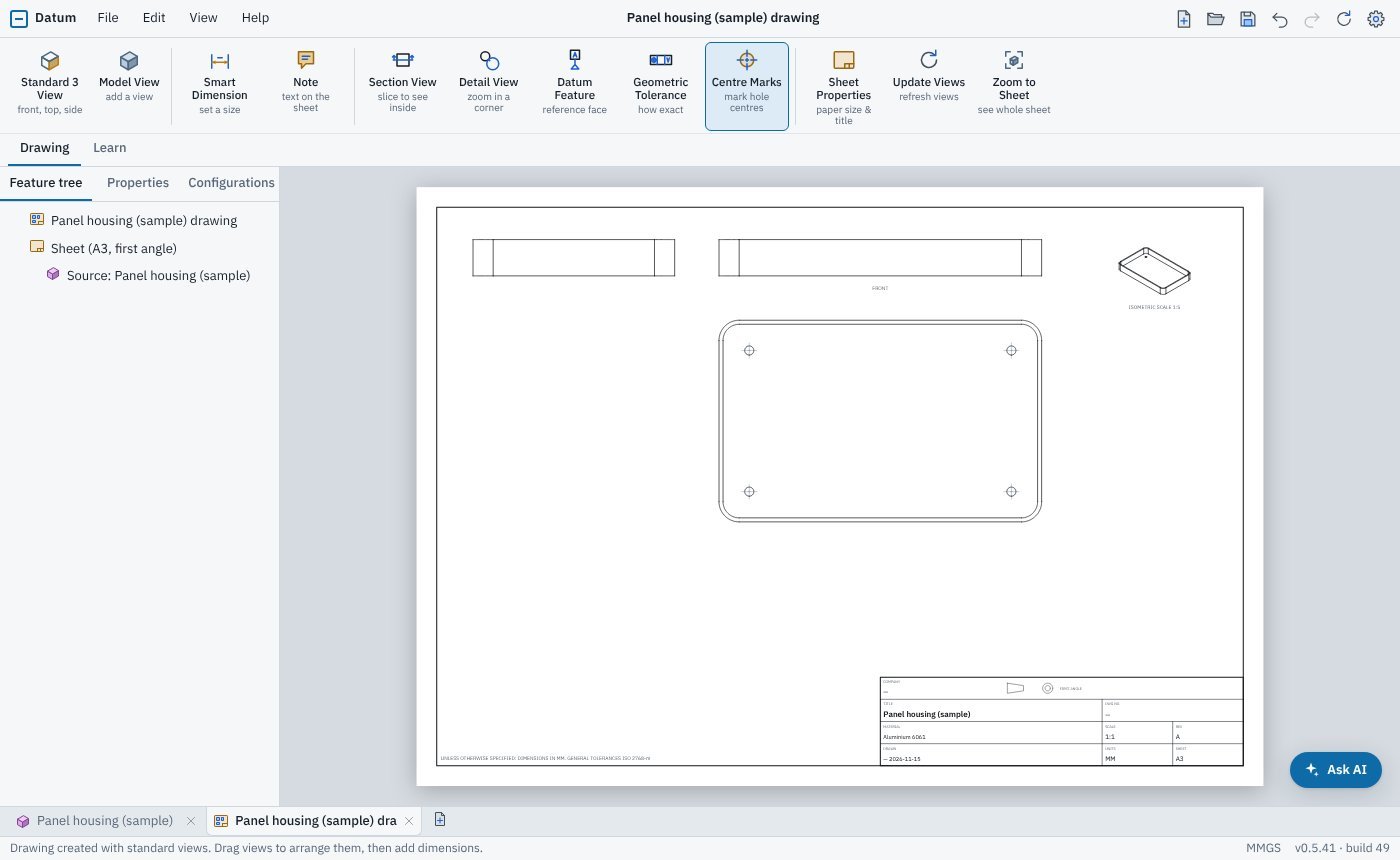
Standard views, sections and details, dimensions that follow the model, GD&T, thread callouts and your own title blocks. PDF, DXF and SVG.
Base and edge flanges, hems and holes, then flatten the part and export the flat pattern as DXF for the laser.
Print-ready threads, heat-set insert holes, overhang and wall-thickness checks, and 3MF or STL export standing the right way up.
Mass properties, measure, section views and a Quick Checker that watches as you work. Strength Check and QuickSim CFD in Pro.
Ask for a part in plain words and watch it build feature by feature, or connect Claude or ChatGPT. Optional, and off until you turn it on.
STEP, STL, OBJ, 3MF, DXF, SVG and PDF. Your parts are plain files on your computer that any CAD package can read.
Drawings
Make Drawing lays out the front, top, side and isometric views on an A3 or ANSI sheet with a filled-in title block. Change the model and the views and dimensions follow.
Pro plug-ins
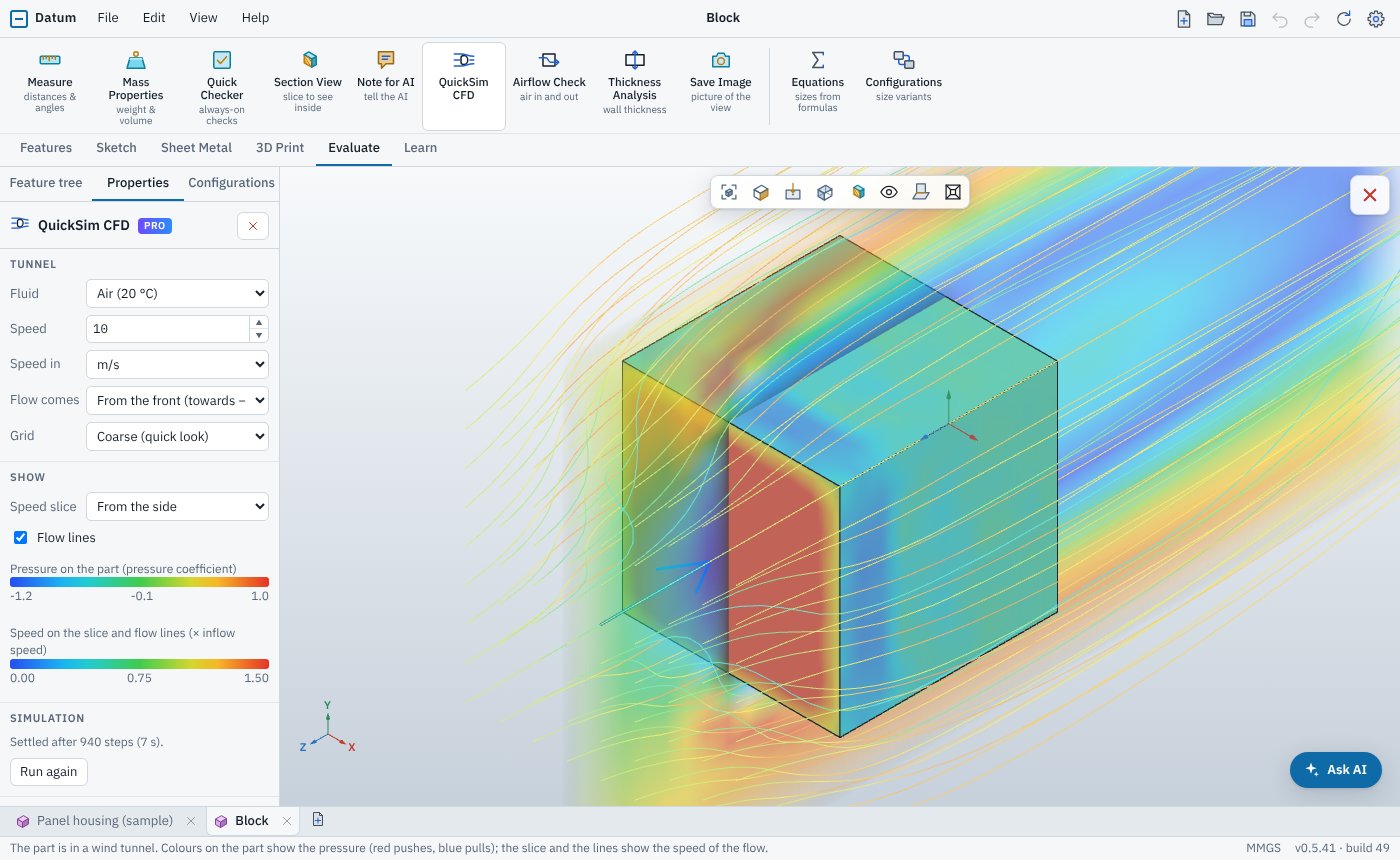
QuickSim CFD puts the part in a wind or water tunnel. Pick the fluid, the speed and the direction, and see the pressure on the part, the flow lines and the drag in seconds, in the browser.
Plug-ins that are not out yet are 20% off if you pre-order. They unlock by themselves the day they ship.
Switching
Coming from another CAD package? Datum meets you halfway, and teaches the rest as you go.
Turn, pan and zoom with the same buttons as SolidWorks, Fusion or Onshape. SpaceMouse works too.
Commands can use the names from your old package, or plain words such as "pull a sketch up".
Short hands-on tutorials tick themselves off as you go: your first part, sketch relations, sheet metal, assemblies and drawings.
Open a link and start modelling. Your work saves itself, with automatic backups and crash recovery.
Compare
Each licence is for one platform and is yours to keep. Every Pro plug-in is its own licence, on top of Datum Pro.
| Free | Pro | Pro + plug-in | |
|---|---|---|---|
| Design | |||
| Parts, sketches, equations and configurations | |||
| Assemblies and mates | |||
| Sheet metal and flat patterns | |||
| 3D-printing tools and checks | |||
| Import and export in every format | |||
| Documentation | |||
| Drawings with views, dimensions and title block | |||
| Drawings without the Datum Free mark | |||
| Your own templates and GD&T | |||
| Exploded views and assembly drawings | |||
| Analysis and simulation | |||
| Measure, mass properties, section views, Quick Checker | |||
| Strength Check and Airflow Check | |||
| QuickSim CFD, and the plug-ins to come | |||
| Use | |||
| Web app | |||
| Desktop apps and the Claude / ChatGPT connector | |||
| Commercial use | |||
| AI assistant (pay-as-you-go credits or your own key) | |||
Datum is in testing: until Pro goes on sale, every tool that is out, including QuickSim CFD, is free for everyone.
Why Datum
No subscription and no yearly maintenance fee. Updates to the version you bought are included.
Models are saved on your computer, not in our cloud, in formats other CAD packages can open.
Students and teachers get 20% off Datum Pro and the plug-ins with code EDU20.
Datum is made by Inverse Square in Gloucester, UK. Questions go to the people who build it.
It opens in a browser tab, and the sample part is ready to explore.